*Guest blogger and future ZURBian [Dmitry Dragilev][1] steps in to offer this introduction to **[Notable][2]**, ZURB's web feedback product currently in a private release.*
We know all of you are wondering—when am I going get a chance to try out Notable? When is Notable going public? What features does it have? So, for all of you who cannot sleep anymore: here's what we can tell you.
###When do I get to try it out?
Wea''ve had an overwhelming response since we announced Notable just weeks ago! Hundreds of people signed up for a private invite and wea''ve had tons of great feedback (with some people actually using the tool to give feedback on the tool!).
At this point wea''re encouraging people to [sign up for the private invite][2] and wait for a little bit while we incorporate all the feedback wea''ve received so far. Once we've done that, wea''ll give more people private access to check the tool out.
###A lila'' preview of this tool? Please?
Ok, ok, no problem. Wea''ve had enough folks asking us about how it looks, what editing features it has, whether you can edit screenshot from the moon, etc. So here is a sneak peek for all you early adopters who can't sleep at night and just keep fantasizing about Notable App (we know a few names of people like that!)
Let's all imagine wea''re working on a site and want to give someone feedback on it. I know ita''s hard to imagine, but just do your best. So instead of making a screenshot, saving it to your machine, launching an image editor, highlighting things, adding notes, sticking it in PowerPoint, how about...
#####1. Click on the Notable button on your toolbar.
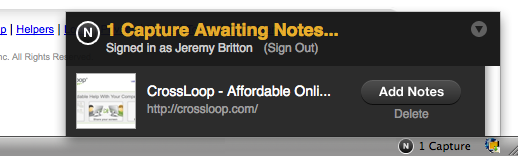
#####2. Youa''ll see the following on the lower hand right corner of Firefox
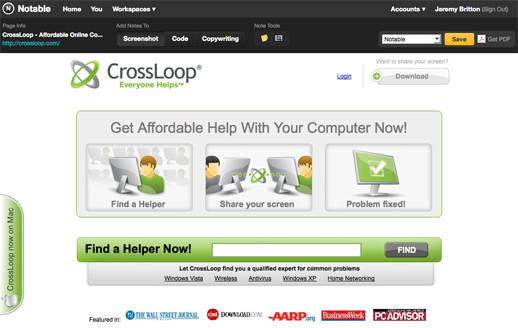
#####3. You click on the "Add Notes" button to get to the annotate page:
As you see: the "Screenshot" button is indenteda''you can add your notes about the screenshot itself.
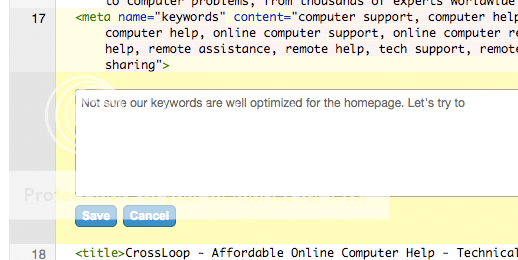
Click on "Code" button above and you can comment on the page source code.
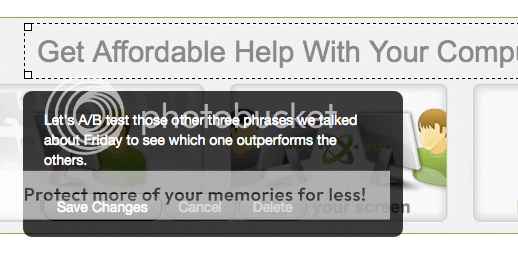
You can do the same for Copywriting of the webpage.
#####4. You can save your comments in your online workspace where the screenshot is stored or get a PDF with all these comments:
#####5. You can check out your new post in your workspace and share your feedback with other people in your company:
###Why use this tool?
We found this process much simpler and more efficient than the old way of doing things.
ZURB created Notable after a fruitless search for a simple capture and annotate tool we could use to improve our workflow. We created it to help us with the website design, implementation and consulting we do for [our clients][3].
We love it, [Guy Kawasaki loved it][4], the private invites that checked it out all loved it, so we know youa''ll love it. Heya''sign up to try it out! Ita''s free for 30 days, so there's nothin to lose.
ZURB's mission is to build a design business that teaches people how to create better products & services through our consulting, products, education, books, training and events. Wea''d love to hear what you think of Notable. Leave us a comment.
[1]: https://dimasayswow.blogspot.com/
[2]: https://www.notableapp.com
[3]: https://zurb.com/work
[4]: https://twitter.com/GuyKawasaki/status/2215743559